Compare your Shopify themes with confidence
See every file change, detect missing assets, and copy updates safely between themes — before publishing to live.
See Every File Change Instantly
DiffMate highlights additions, deletions, and modifications across every theme file — so you always know exactly what changed.
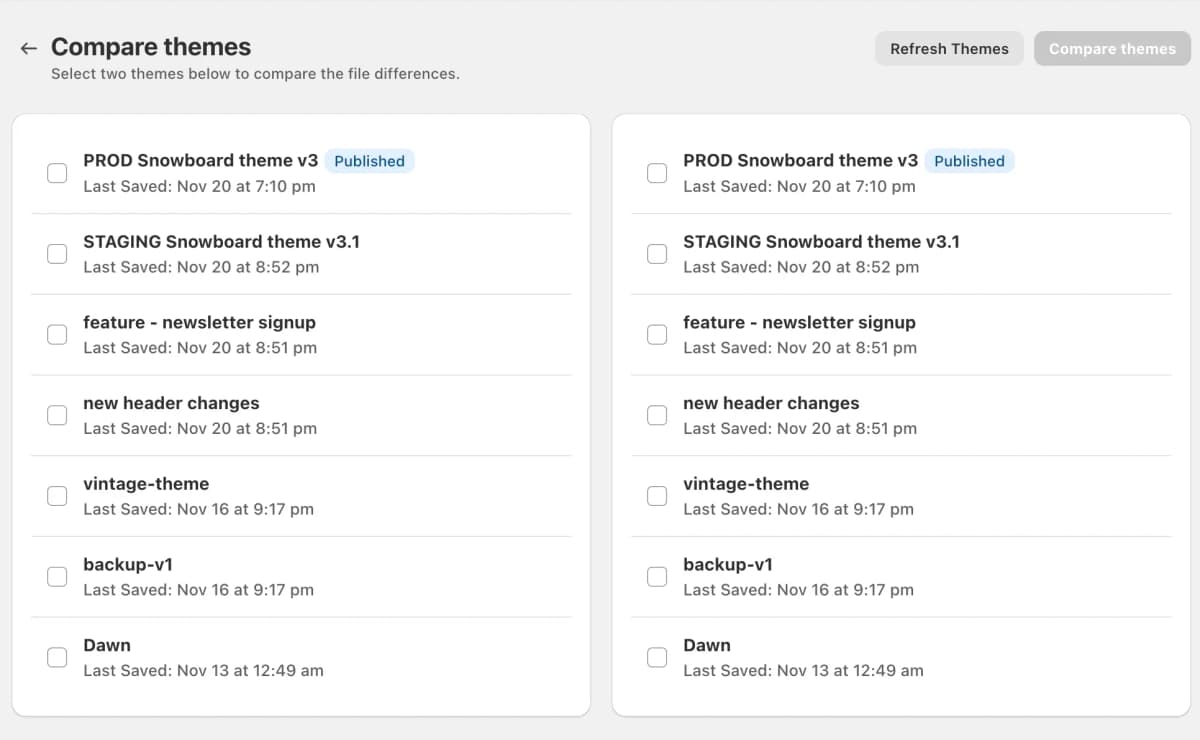
Compare Any Two Themes in Seconds
See every theme in your store and instantly choose the two you want to compare.
DiffMate even detects development themes created with the Shopify CLI — the ones you can't see in the Shopify admin.
No more guessing which version your developer was working on.
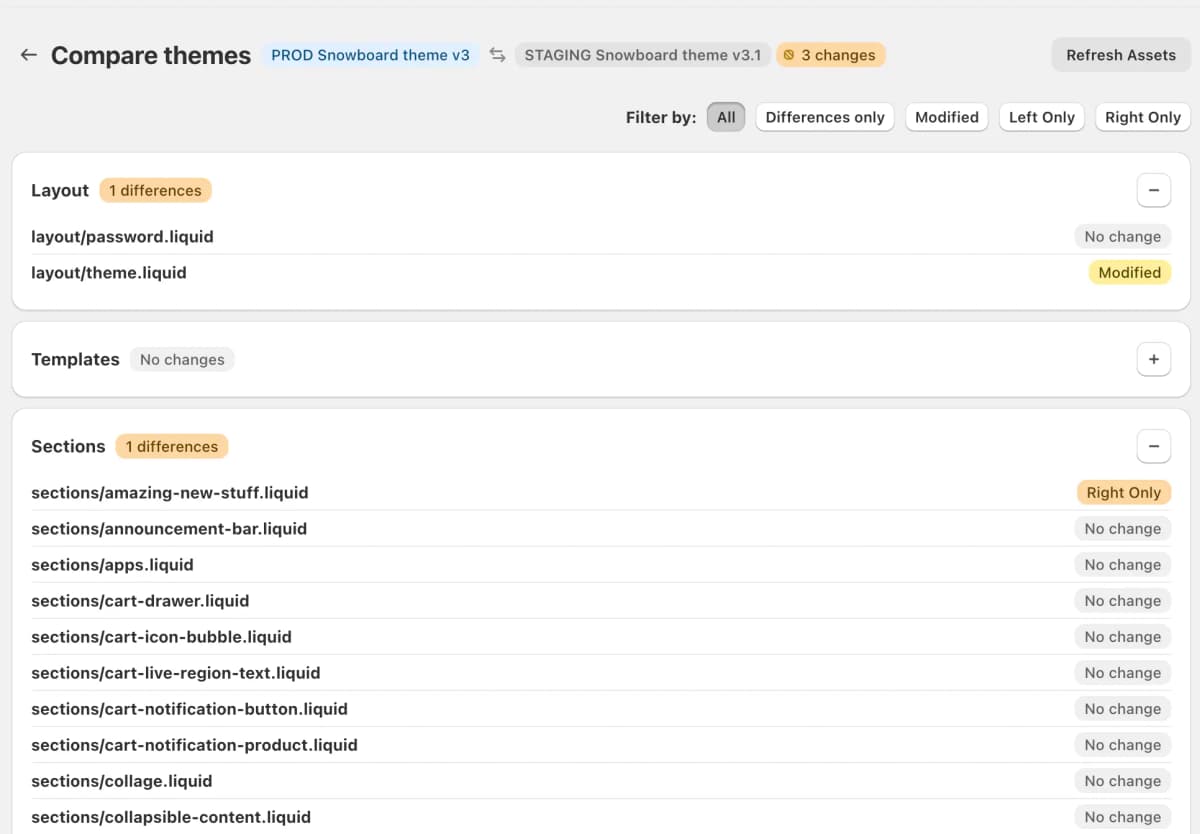
Know Exactly What Changed — Before You Publish
Get a complete file-by-file breakdown of differences between themes.
- View all files
- Show only changed files
- Highlight missing assets
- Catch unexpected production edits
No more accidental overwrites.
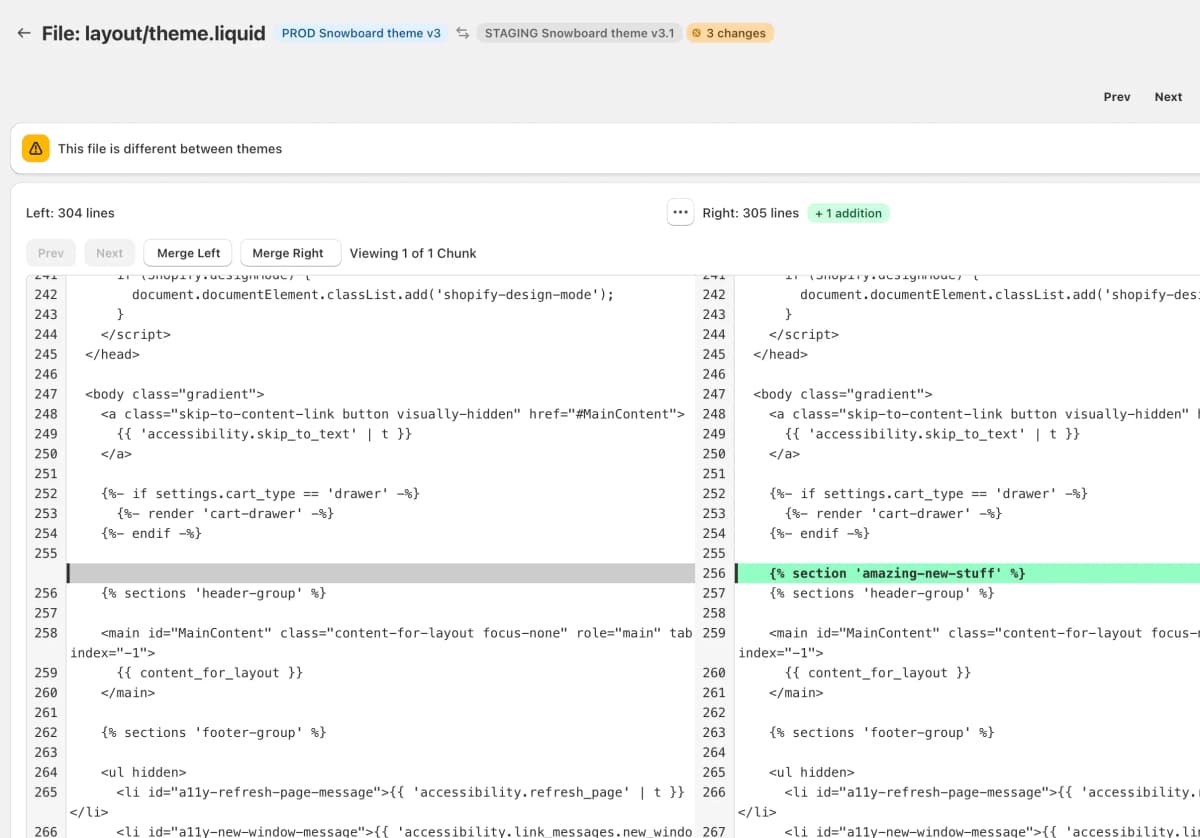
Sync Themes Without Risk
Open any file in our visual diff editor to see precise line-by-line changes.
Need to sync updates? Copy changes from one theme to another in seconds — or move entire missing files with one click.
Deploy only what you intend. Nothing more.
Trusted by Shopify professionals
Join hundreds of store owners, developers, and agencies who trust DiffMate
“This app is essential for teams with multiple people working on a site, making changes in the theme customizer while we have developers working on code. It should really be OOB Shopify functionality.”
“Cannot recommend this app enough - its functionality should be built into Shopify. Works flawlessly, with zero fuss or explanation needed. An absolute must have when updating themes. Thank you so much for creating this!”
“Incredibly simple and easy to use. Clearly shows all code, what's changed, how's it changed, and where it's changed at. The perfect companion for checking your theme, especially if you have custom code and are doing a theme upgrade. Huge thanks to the developers!”
Ready to publish with confidence?
Join the growing community of Shopify professionals who never publish blind.